

Issuer Studio
Issue through your own company or investment vehicle. In Brickken’s interface, your team can set up an offering, review investor applications and track who holds the instrument.
Explore Issuer StudioBefore closing, review each subscription against the offering terms. After closing, use holder records to reconcile positions and prepare the next distribution.
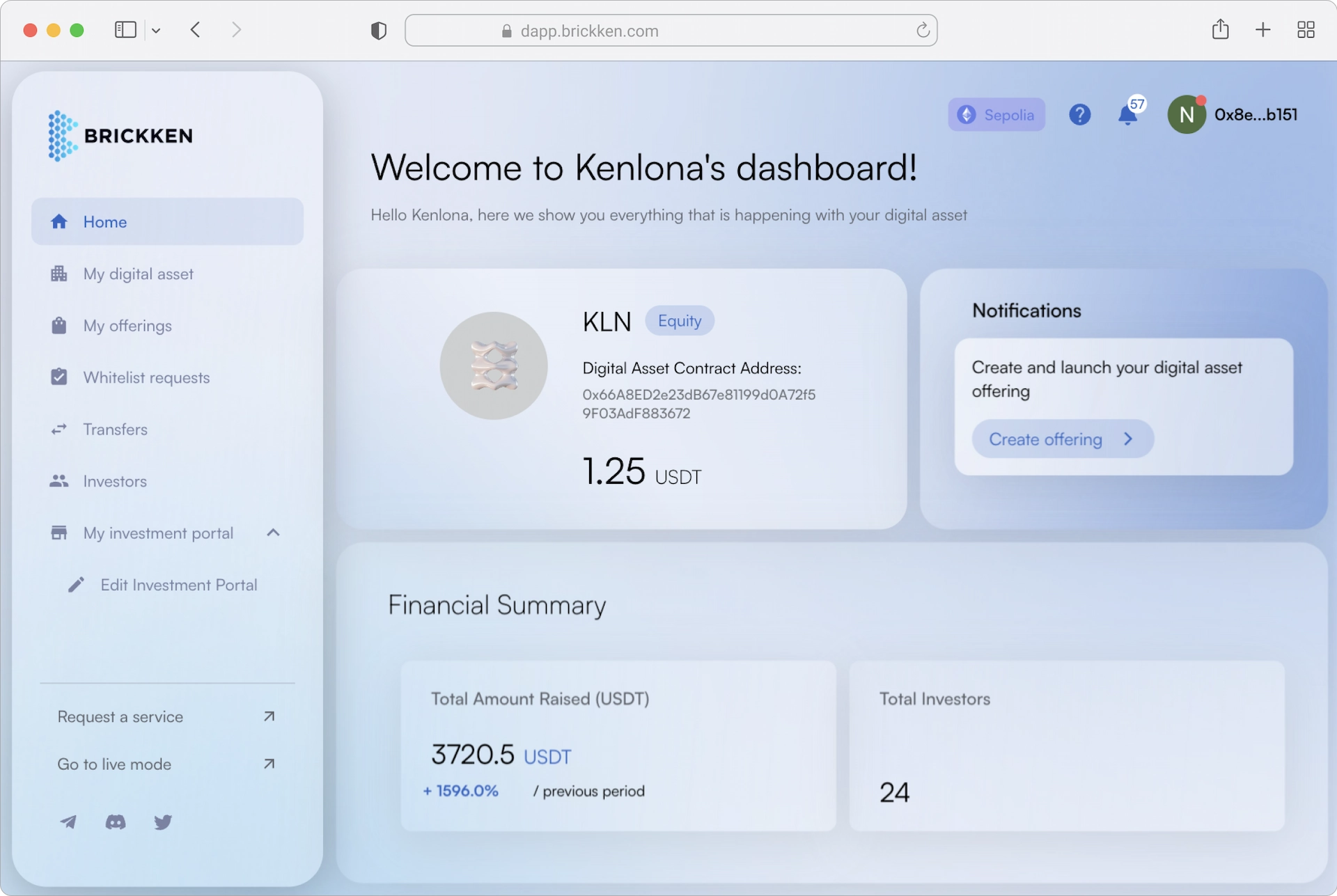













Choose the instrument, add the offering documents and set the terms. Your team can review the offering before opening it to investors.

The asset setup screen shows which instruments the issuer can configure.
Enlarge screenshotPut the unit price, subscription dates and offering documents in one place. Investors can review the offer and start a subscription from the same page.

This example shows a unit price of 1 USDT, the closing countdown and the button to start a subscription.
Enlarge screenshotReview each holder’s balance and percentage in one table. The same positions can inform reporting and the preparation of a distribution.
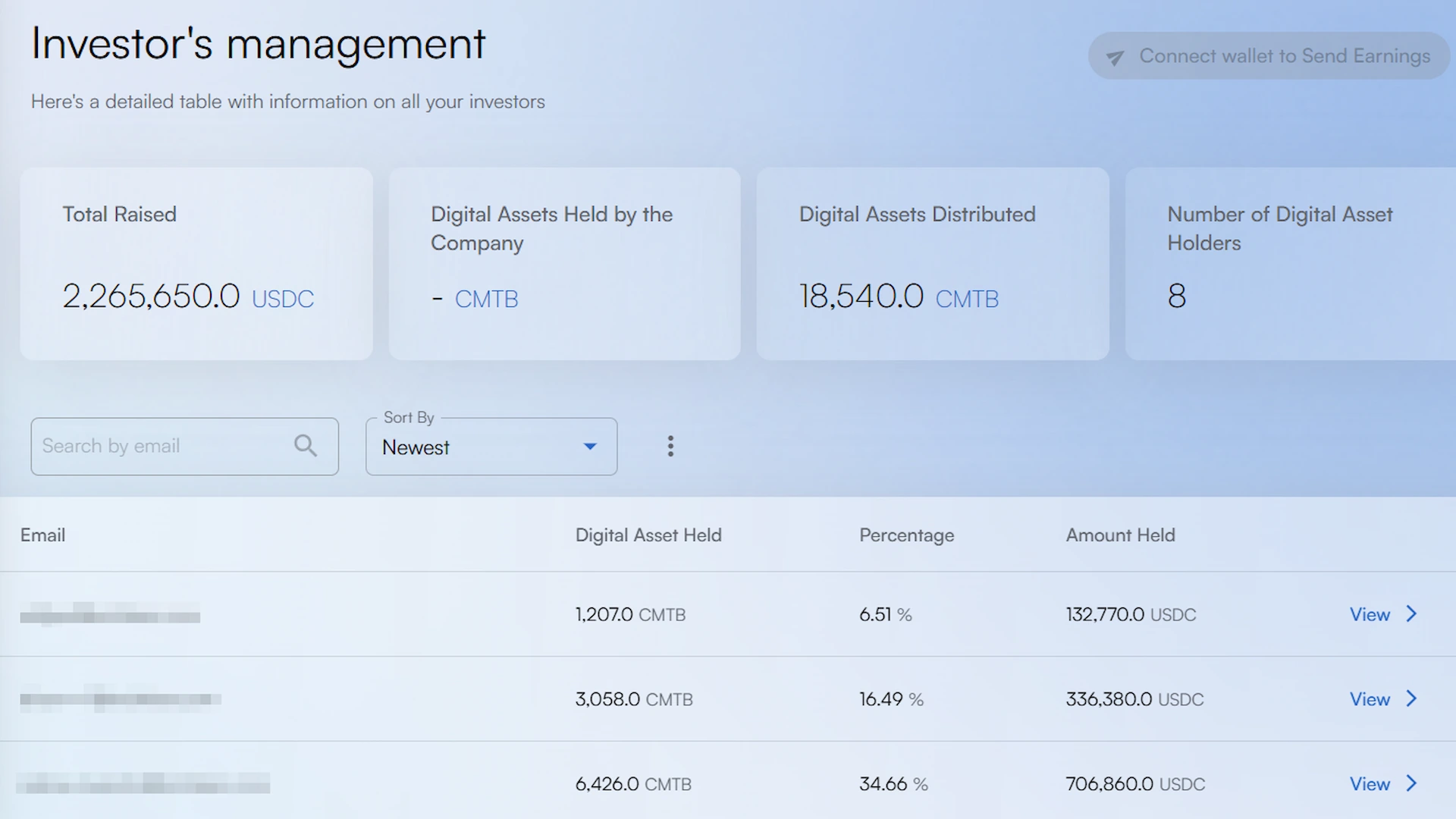
The holder table shows each investor’s balance and share of the issuance.
Enlarge screenshotA single offering file helps reviewers spot missing terms before sign-off. Count business days from a complete file to issuer approval, including time spent waiting for advisers.
Reviewing each application as a whole helps your team see which cases need follow-up. Of all complete applications reviewed, what percentage did you approve or decline on the first review?
Checking balances against the payment file lets your team resolve a mismatch before authorizing a payout. Count differences still open when you submit the file for approval, using holder positions at the record date.
In this example, an issuer tokenizes a private debt note. Follow the records its team needs from launch to the first interest payment.
The issuer uses the signed note and offering documents to configure the subscription window and eligibility criteria. Its team reviews the offering before opening it to investors.
For each subscription, the issuer checks investor eligibility and matches the request to funds received. Once the allocation is approved, the team records how many notes the investor holds.
The issuer or its paying agent checks balances on the record date, calculates interest under the note terms and approves the payment file. After settlement, the team matches payment confirmations to the holder records.
Issue through your own company or investment vehicle. In Brickken’s interface, your team can set up an offering, review investor applications and track who holds the instrument.
Explore Issuer StudioRun a branded tokenization service for other issuers. Manage each client’s offerings and give its investors a portal to review the terms and apply.
Explore White LabelAdd issuance and investor workflows to an existing app. Your developers use Brickken’s API and SDK while keeping control of the screens your customers use.
Explore the APISee what each product includes, where usage limits apply and how fees are structured.
Compare plans and pricingThe instrument, its governing documents and applicable law define a holder's rights. Configure investor and transfer workflows around those terms.
Liquidity depends on buyer demand, transfer restrictions and access to a market. A digital record alone cannot ensure that a holder will find a buyer.
Start with the instrument's terms. Identify who is eligible, who approves the event and who funds and settles the payment. Map those responsibilities to the available workflows.